Electric Minibus Smart Fare
The Challenge
The operator is launching 15 electric minibuses: 10 on Addis Ababa urban routes and 5 on the Addis Ababa–Adama corridor. It needs verified electronic fares, clear seat availability, complete trip records and one view of the whole fleet, without asking passengers to download a separate app.
Solution Scope
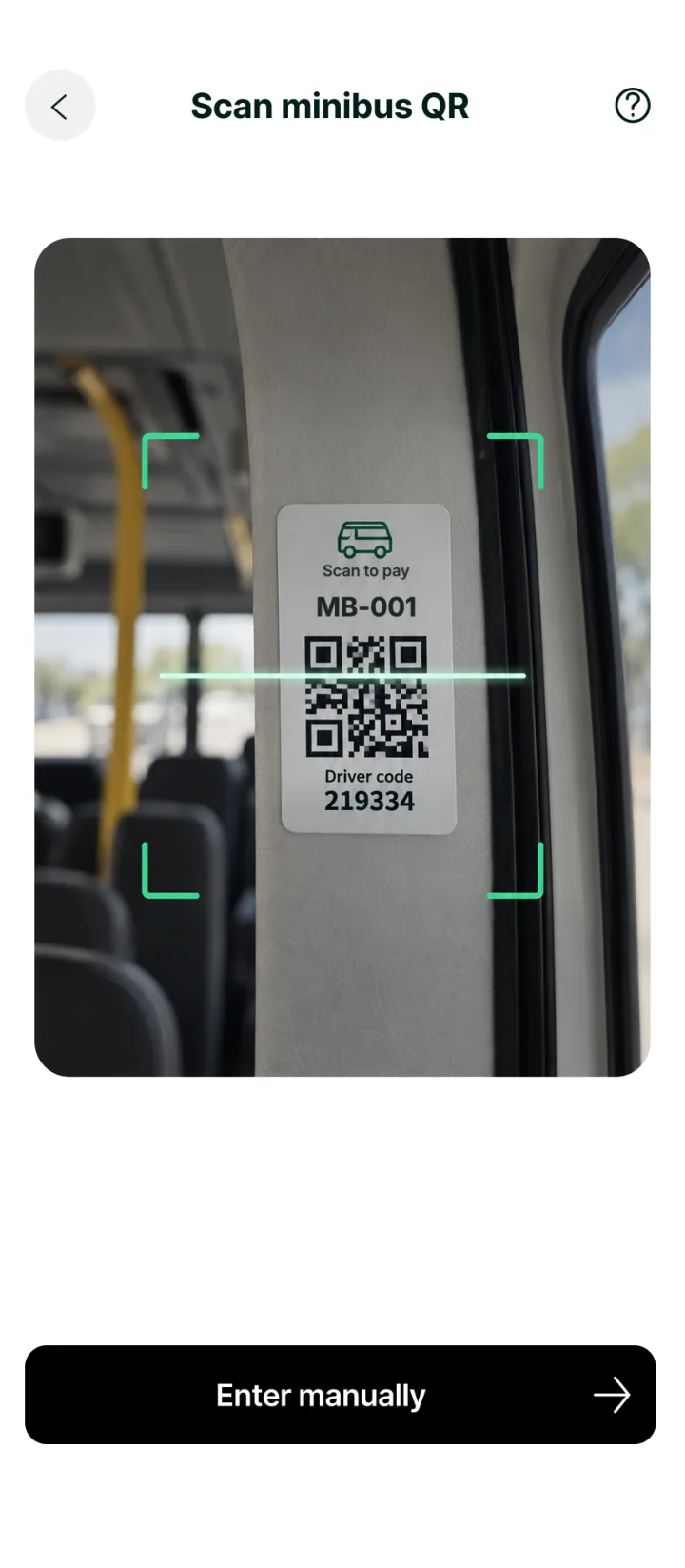
DreamTech designed four connected parts: a Telebirr mini app for passengers, a driver app for Android, a web administration dashboard and optional NFC card readers. A permanent QR code on each minibus opens the driver's active session, seats are held during payment, and only a provider-confirmed payment creates a ticket.
Delivery Time
8–13 weeks
Proposed schedule, from discovery to the 15-vehicle rollout
How It Works
The operational workflow, from setting up a vehicle to closing and reconciling a trip.
- 01
Register each minibus
The administrator registers the vehicle ID, licence details, capacity, seating layout, permitted drivers and routes. A permanent QR code is generated for the vehicle.
- 02
Start a driver session
The driver logs in, selects the assigned minibus and route, sets the approved fare and starts the trip. There is no GPS-based fare calculation.
- 03
The QR opens the active session
The permanent QR code always opens the current session. A closed session cannot accept new ticket purchases.
- 04
The passenger chooses a seat
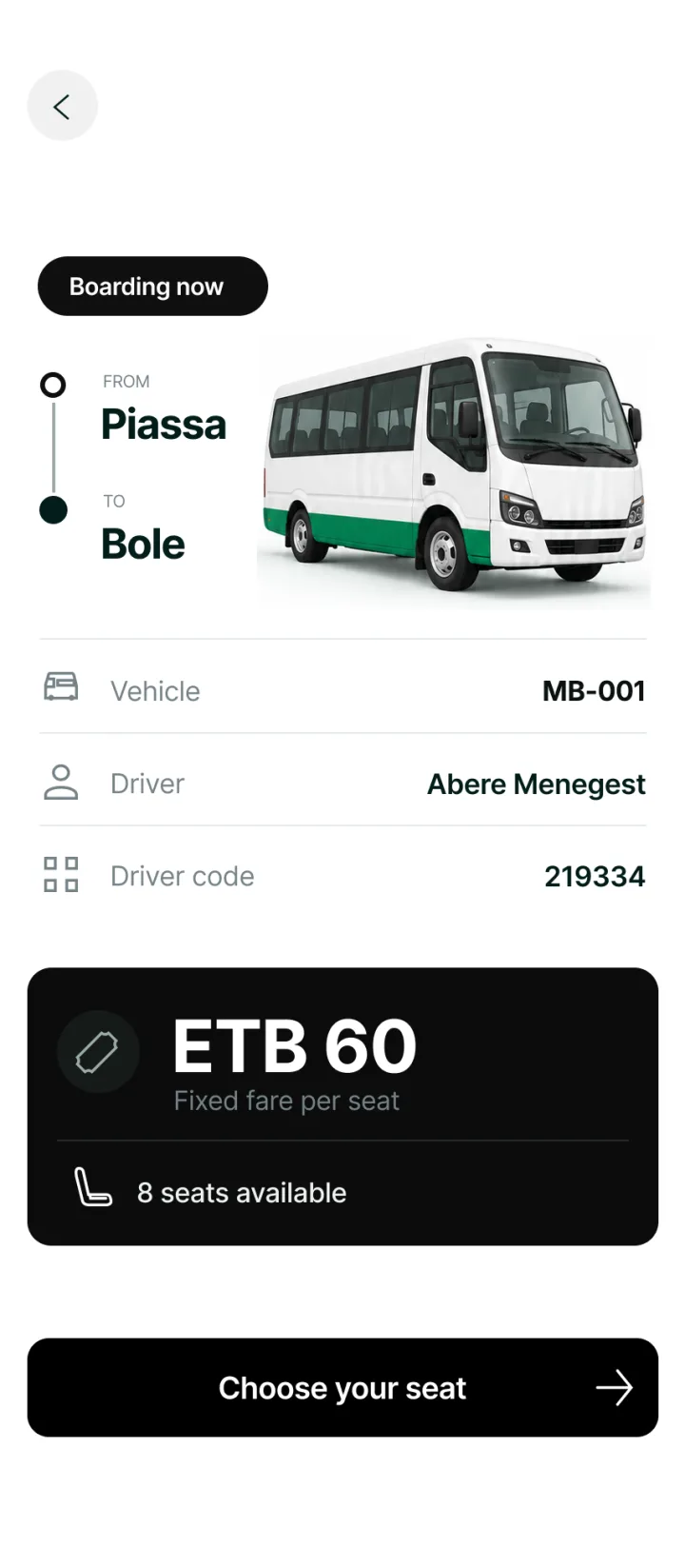
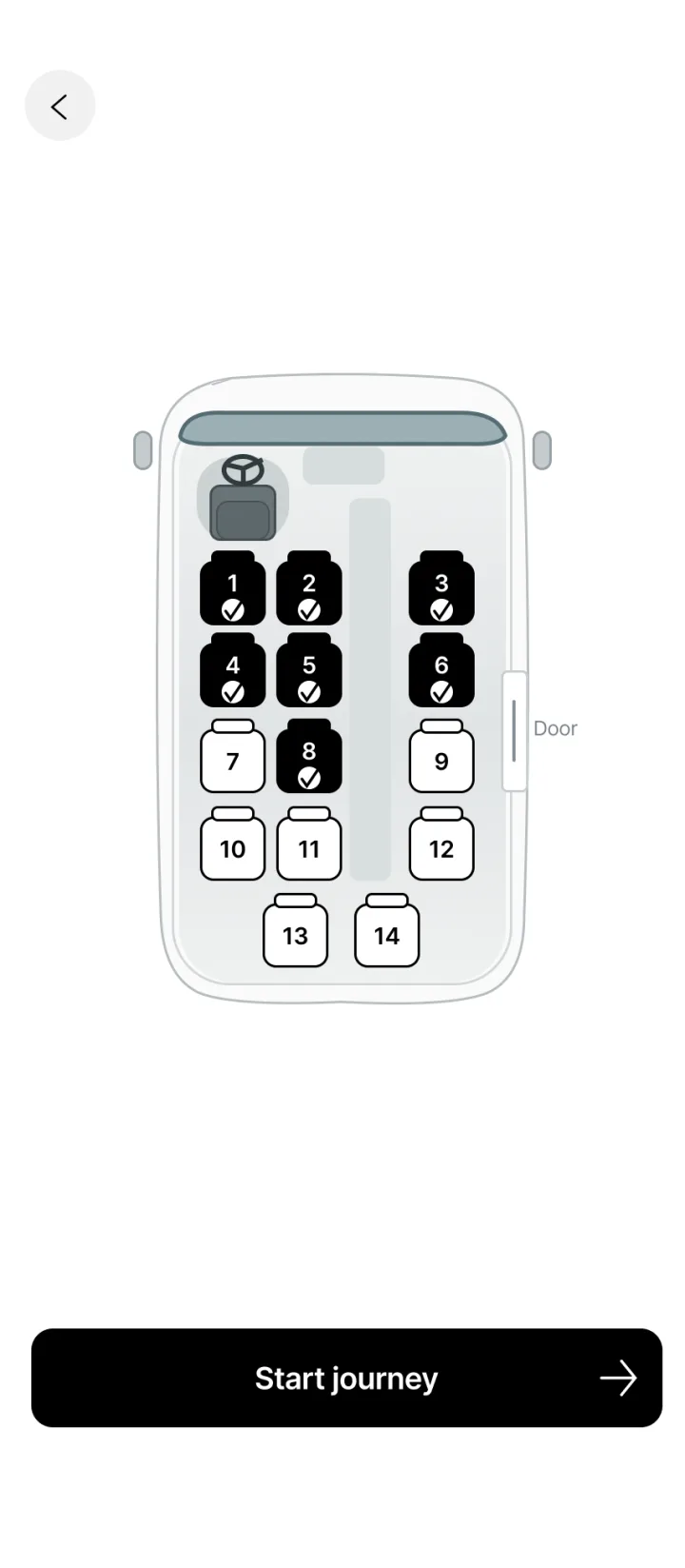
The passenger scans the QR or types the 6-digit driver code, views the minibus layout and picks an available seat. The seat is held during payment.
- 05
Payment is verified
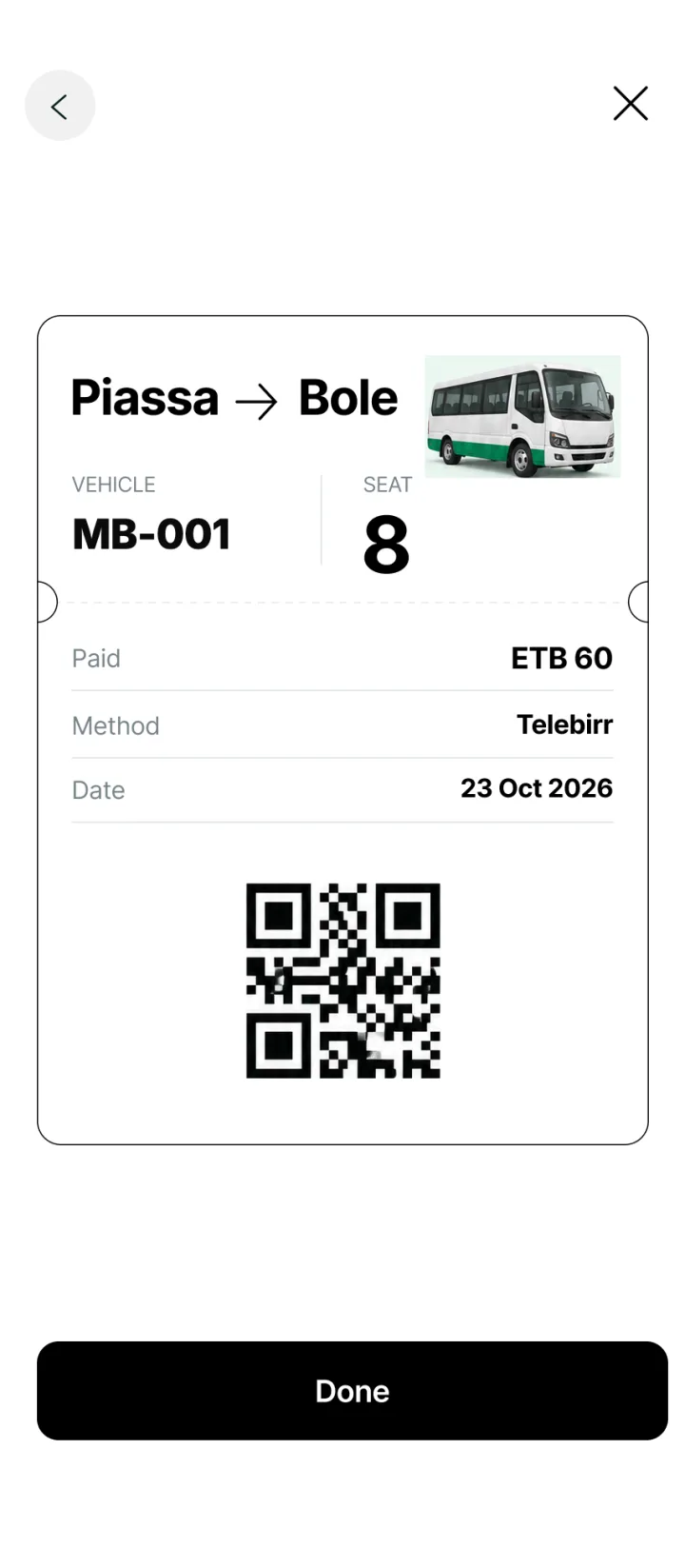
The passenger pays through an integrated provider such as Telebirr. Only a provider-confirmed transaction creates a paid ticket, so a seat is never sold twice.
- 06
The driver sees the confirmation
The driver app shows the seat, amount, method and status, and keeps electronic payments separate from recorded cash.
- 07
Close and reconcile
Ending the session saves the fare, passenger count, transactions, revenue, driver, vehicle and timestamps. Seats reset for the next session.
App Screenshots
Review the application screens included in this project.
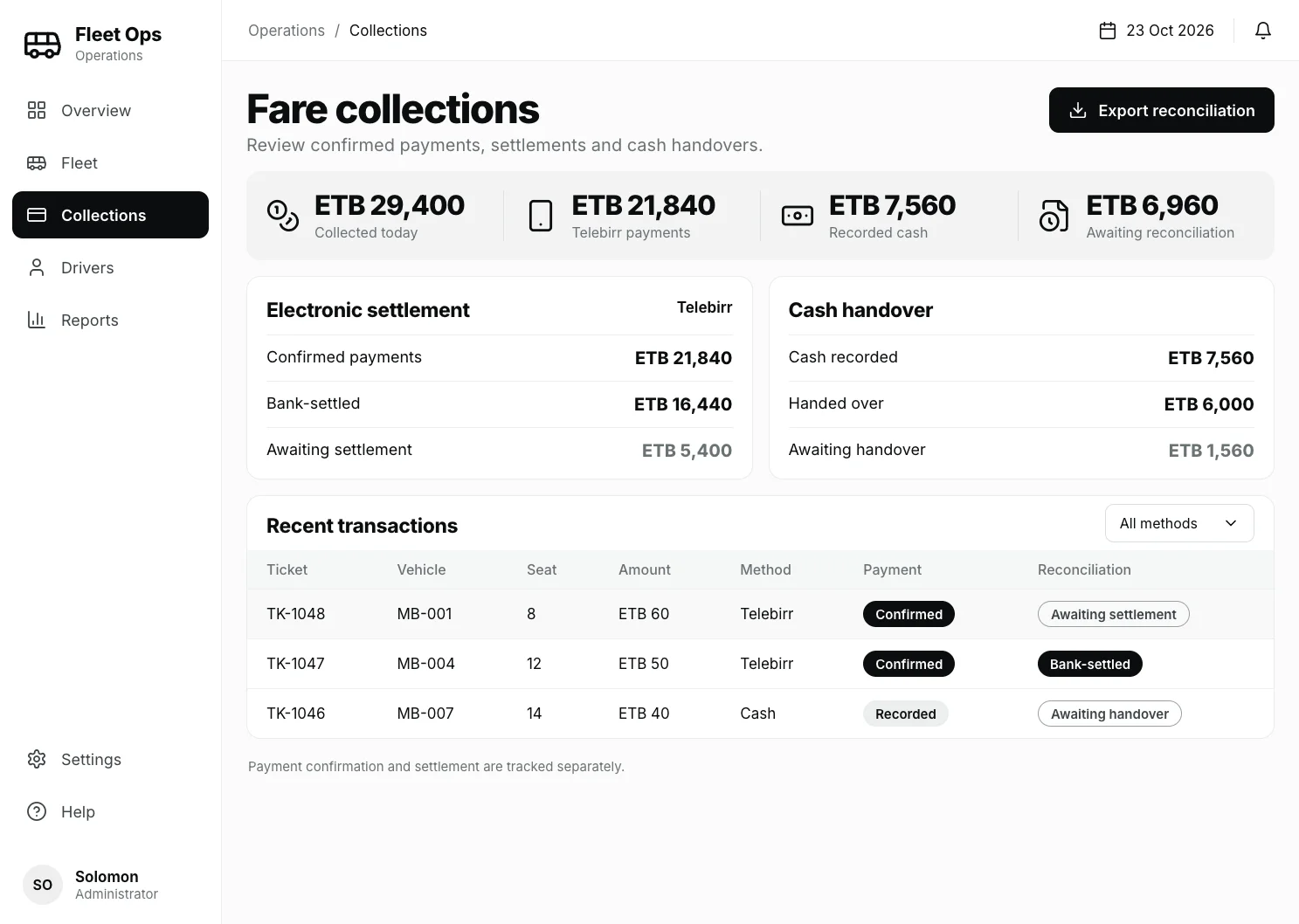
Administration Dashboard
The web dashboard the operations team uses to follow collections, settlements and cash handovers.
Start your project
Tell us what you want to build next
Share your goals, users, required platforms, integrations, and launch priorities. The form is preselected for this project type, and you can change it at any time.