



























Scope before development
Roles, workflows, integrations, acceptance scenarios and exclusions are agreed before the build begins.
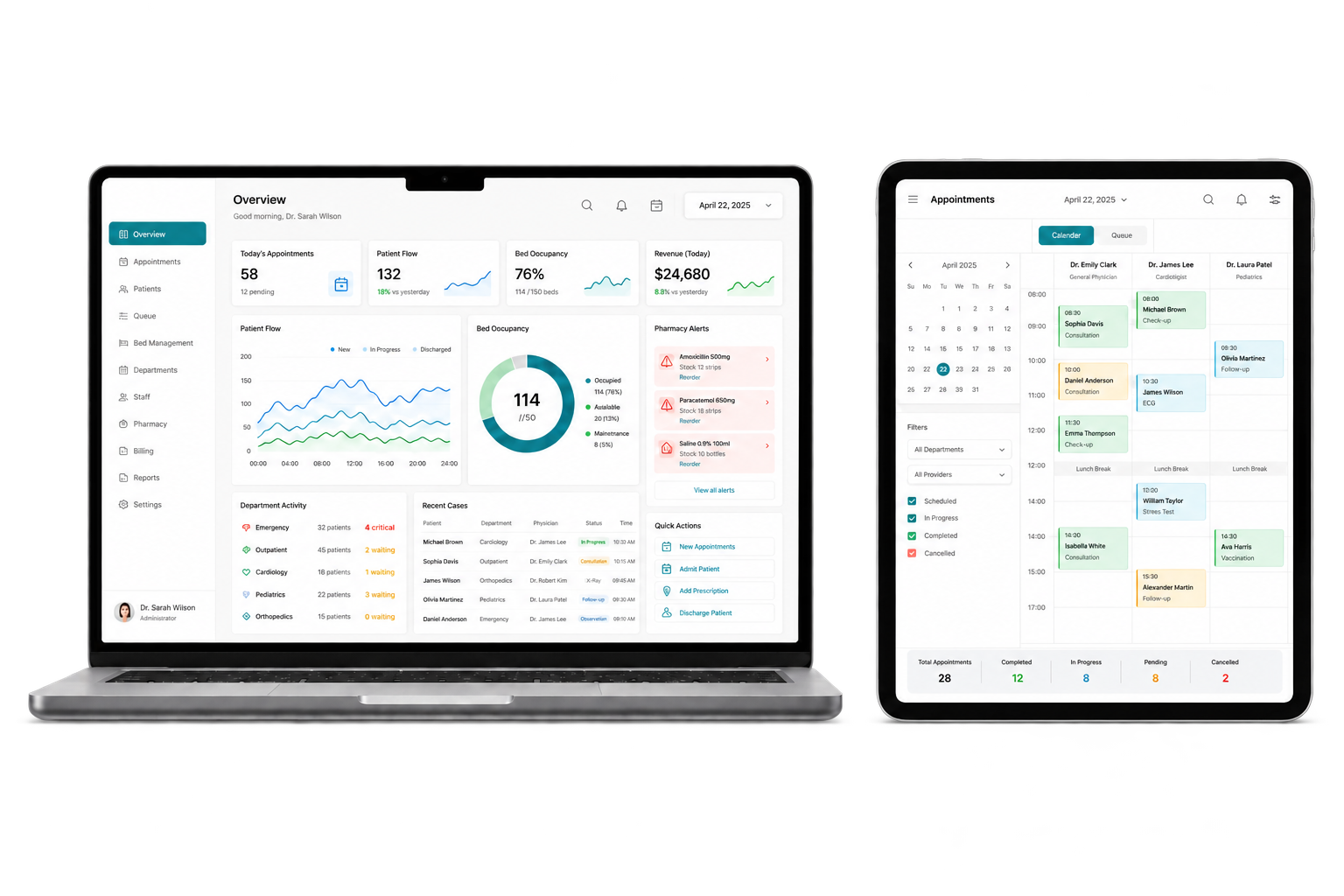
For clinics, hospitals and healthcare networks that need connected patient, clinical, pharmacy, laboratory and billing operations. DreamTech plans the customer experience, operating tools, integrations and rollout as one connected product.
Patient
Registration & Records
Clinical
Care Workflows
Pharmacy
Stock & Dispensing
Billing
Claims & Payments
Why DreamTech
A strong product page should show more than a feature list. These delivery controls help turn the visible experience into software your team can launch and operate.
Roles, workflows, integrations, acceptance scenarios and exclusions are agreed before the build begins.
Payments, language, connectivity, provider access and Ethiopia-specific launch dependencies enter the delivery plan early.
Product, design, engineering, quality and deployment decisions are coordinated around one approved release scope.
The agreed code, environments, documentation, training and ownership records are prepared for the operating team.
Complete solution
Customer-facing interfaces, operations tools and handover requirements are shaped around the same approved product scope.
Registration, appointments, records, clinical notes, prescriptions and discharge workflows.
Laboratory, pharmacy, nursing, bed and department operations with role controls.
Service billing, payment records, staff management and operational reporting.
Configured system, approved migration, role training, documentation and production setup.
Care operations
Clinical, diagnostic, pharmacy, billing and administrative workflows are planned around permissions, handoffs and a reliable patient record.
Business outcomes
Streamline healthcare operations with our end-to-end hospital management software. From patient registration to pharmacy management, we digitize the entire hospital workflow for clinics, hospitals, and healthcare networks across Ethiopia.
Reduce fragmented paper and spreadsheet records across the patient journey.
Link prescriptions, dispensing, procurement, expiry tracking and inventory visibility.
Give management a shared view of service volume, billing and department activity.
Pilot priority departments before expanding to the full hospital operation.
Features and modules
Review every workflow by user group or operating area. The signed proposal confirms the final first-release scope.
Connected to the same permissions, data and reporting model.
Connected to the same permissions, data and reporting model.
Connected to the same permissions, data and reporting model.
Connected to the same permissions, data and reporting model.
Connected to the same permissions, data and reporting model.
Connected to the same permissions, data and reporting model.
Connected to the same permissions, data and reporting model.
Connected to the same permissions, data and reporting model.
Connected to the same permissions, data and reporting model.
Connected to the same permissions, data and reporting model.
Connected to the same permissions, data and reporting model.
Delivery options
The engagement can start as a focused launch, a custom platform, a phased system rollout or an improvement to software you already operate.
Document how hospital management system should support real records, approvals, reports and exceptions.
Begin with the modules that create the most operational value, then expand after adoption is stable.
Adapt roles, rules, forms, reports and approved provider or legacy-system connections.
Prepare source data, validate migrated records and train each user group on representative scenarios.
Refine workflows, reporting and reliability after the first production phase has been accepted.
Review selected DreamTech project and implementation material connected to this product area.
Hospital management system with Patient Registration, OPD, IPD, Lab, Imaging, and Pharmacy modules, plus billing and insurance workflows.
Hospital management system with Patient Registration, OPD, IPD, Lab, Imaging, and Pharmacy modules, plus billing and insurance workflows.
The Challenge
Disconnected registration, outpatient, inpatient, lab, imaging, pharmacy, and billing records can slow care coordination and administrative reporting.
Solution Scope
HMS implementation scope that can connect Patient Registration, OPD, IPD, Lab, Imaging, and Pharmacy modules with shared patient records, billing, and insurance-claim workflows based on approved requirements.
Hospital management system with Patient Registration, OPD, IPD, Lab, Imaging, and Pharmacy modules, plus billing and insurance workflows.
The Challenge
Disconnected registration, outpatient, inpatient, lab, imaging, pharmacy, and billing records can slow care coordination and administrative reporting.
Solution Scope
HMS implementation scope that can connect Patient Registration, OPD, IPD, Lab, Imaging, and Pharmacy modules with shared patient records, billing, and insurance-claim workflows based on approved requirements.
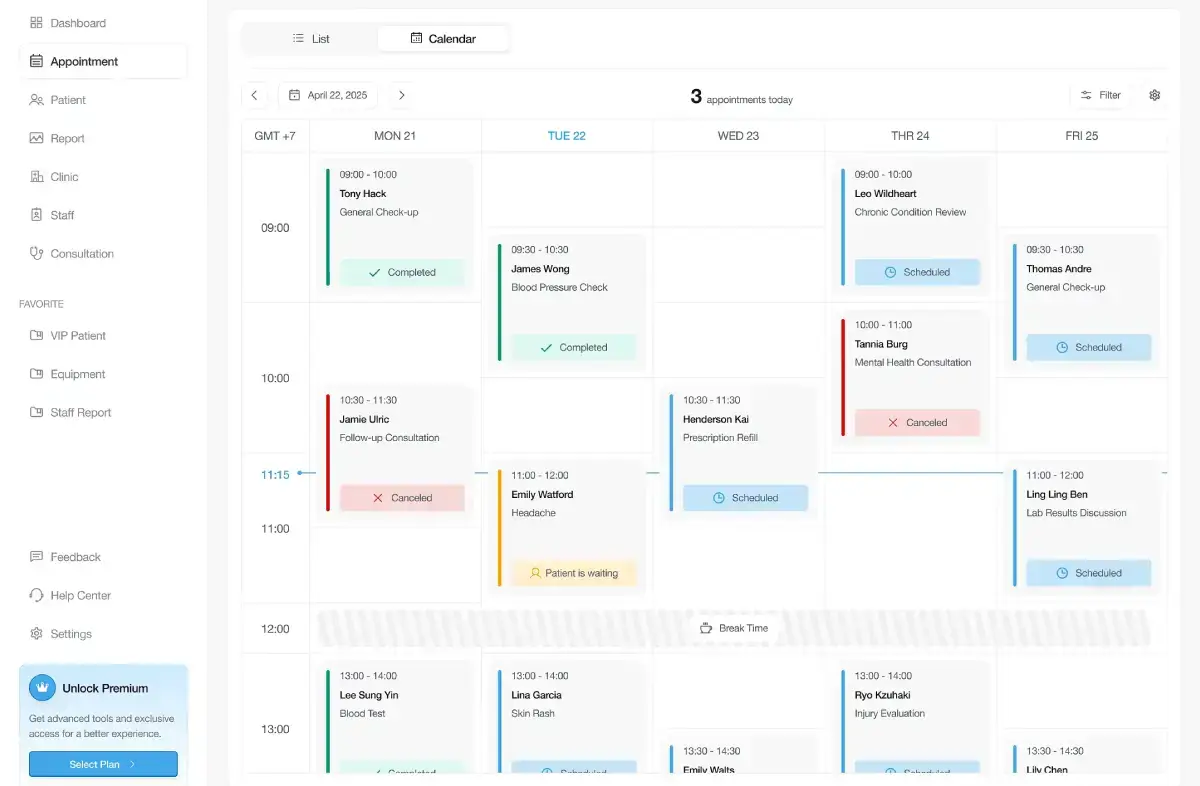
Online appointment scheduling and patient-management implementation overview with reminders, shared records, and queue workflows.
Online appointment scheduling and patient-management implementation overview with reminders, shared records, and queue workflows.
The Challenge
Phone-only booking, missed appointments, and disconnected patient history can make multi-clinic scheduling difficult to coordinate.
Solution Scope
Scheduling scope that can include online appointment requests, SMS or push reminders, shared patient records where authorized, and walk-in queue workflows.
Online appointment scheduling and patient-management implementation overview with reminders, shared records, and queue workflows.
The Challenge
Phone-only booking, missed appointments, and disconnected patient history can make multi-clinic scheduling difficult to coordinate.
Solution Scope
Scheduling scope that can include online appointment requests, SMS or push reminders, shared patient records where authorized, and walk-in queue workflows.
Unique features
These options can be selected and adapted during scoping. They are not treated as committed deliverables until they enter the signed proposal.
Define what clinicians, pharmacy, laboratory, finance and administrators can view and change.
Bring approved visits, orders, results, prescriptions and billing events into one record.
Monitor stock movement, batch details and expiry dates before dispensing.
Adapt forms, queues, approvals and reports to the agreed care model.
Coordinate scheduled and walk-in patients across reception, consultation and diagnostic queues.
Follow laboratory, imaging and pharmacy orders from request through authorized completion.
Connect approved services, charges, payments, waivers and insurer records before discharge.
Record authorized updates, timestamps and responsible users for sensitive patient workflows.
Who it serves
Healthcare systems should reflect the real patient journey, department responsibilities and data controls of the facility using them.
Connect registration, appointments, clinical records, billing and follow-up workflows.
Coordinate departments, beds, pharmacy, laboratory, billing and management reporting.
Plan shared patient and operational standards across multiple authorized facilities.
Configure focused orders, results, inventory and reporting for the selected care model.
Share the users, service area and first-release goal. DreamTech will help structure a practical scope.
Technology foundation
The final architecture follows the approved workflow, scale, integration, hosting and ownership requirements rather than a one-size-fits-all tool list.
Next.js, React and TypeScript for department and management workflows
Flutter for approved patient, clinician or field workflows when required
Django or Node.js services with documented REST APIs, audit controls and role permissions
PostgreSQL or MySQL selected around scale, reporting and migration needs
AWS or an agreed on-premise model with access, backup and recovery controls
Laboratory, pharmacy, payment, SMS and approved healthcare APIs as scoped
Development process
The process stays visible from discovery through acceptance so product decisions and implementation evidence do not disappear between handoffs.
Map the users, workflows, data, integrations, risks and first-release outcomes.
Design the priority journeys and confirm the technical foundation behind them.
Build approved modules in visible increments with regular working reviews.
Test representative workflows, permissions, responsive behavior and operational exceptions.
Prepare production, train users and complete the agreed ownership and support transition.
Why partner with DreamTech
DreamTech combines product discovery, interface design, engineering, integration planning, quality assurance and handover from Addis Ababa.
Engagement models
Choose the commercial structure that fits the clarity of the scope, the size of the roadmap and the operating support your team already has.
Best when the first release, responsibilities and acceptance scenarios can be agreed before kickoff.
A focused cross-functional team for a larger roadmap, phased platform or long-running transformation.
Targeted engineering for an existing product, including improvements, integrations and stabilization work.
A planning range for scoped product development. Your proposal confirms the exact price, milestones and included deliverables before kickoff.
What shapes cost and timing
Number of apps and portals, modules, customization, migration, integrations, security or regulatory work, infrastructure and acceptance requirements.
Delivery and optional support
Delivery timing, acceptance responsibilities and any continuing support are separated clearly so the build does not create an unexpected monthly commitment.
Development and customization
Work begins after requirements, scope approval, agreement, required client inputs and kickoff. The signed proposal records the exact start, acceptance and handover dates.
Optional post-development SLA
A monthly support SLA is not required. When selected, it begins only after acceptance and handover of the 40-day scope. External approvals can affect public launch independently.
Launch readiness included
The build includes practical setup guidance for the client-owned services needed to release and operate the product.
DreamTech handles the technical setup and guides the client-owned account process.
Google Play, Apple and D-U-N-S setup
For mobile releases, we guide client-owned developer-account setup, help check or request D-U-N-S, align the legal details and prepare the app for submission.
Domain purchase and connection
We help select and purchase an available domain in the client’s name, then connect DNS, the website and organization email where required.
Hosting choice and deployment
We compare suitable cloud, VPS, managed or local options and configure the client-approved environment for traffic, security, data and budget needs.
Applicable compliance preparation
Where required, we prepare technical materials and guide INSA cyber-audit, ECA data-protection or sector-review steps. The responsible authority controls approval.
Ownership and cost boundary: accounts and domains remain in the client’s name. Setup guidance is included; platform memberships, registrar, hosting, government, provider and usage fees are separate unless the signed quotation includes them. D-U-N-S, store review and government approval follow external timelines and can extend public launch beyond the 40-day software period.
Frequently asked questions
These answers provide planning guidance. The approved proposal remains the source of truth for scope, price, dates and responsibilities.
Ready to plan the first release?
Share the target users, operating model and priority workflows. DreamTech will help structure the product, modules and delivery plan.