



























Scope before development
Roles, workflows, integrations, acceptance scenarios and exclusions are agreed before the build begins.
For schools, colleges and education groups that need one controlled system for academic, finance, staff and parent workflows. DreamTech plans the customer experience, operating tools, integrations and rollout as one connected product.
Students
Enrollment & Records
Academics
Grades & Timetables
Finance
Fees & Reporting
Operations
Staff & Resources
Why DreamTech
A strong product page should show more than a feature list. These delivery controls help turn the visible experience into software your team can launch and operate.
Roles, workflows, integrations, acceptance scenarios and exclusions are agreed before the build begins.
Payments, language, connectivity, provider access and Ethiopia-specific launch dependencies enter the delivery plan early.
Product, design, engineering, quality and deployment decisions are coordinated around one approved release scope.
The agreed code, environments, documentation, training and ownership records are prepared for the operating team.
Complete solution
Customer-facing interfaces, operations tools and handover requirements are shaped around the same approved product scope.
Enrollment, student records, grades, timetables, attendance and promotion workflows.
Role-specific web or mobile access for teachers, parents, students and administrators.
Fees, payroll, inventory, transport, library and management reporting in one system.
Configured system, approved data migration, training, documentation and production setup.
School experience
Administrators, teachers, parents, students and finance teams receive role-specific access to a shared operational record.
Business outcomes
A comprehensive school management ERP designed exclusively for Ethiopian educational institutions. Manage students, staff, finance, attendance, exams, and more from a single powerful platform that simplifies every aspect of school administration.
Reduce repeated data entry across admissions, academics, finance and administration.
Give each role the records and actions needed without exposing unrelated information.
Track invoices, payments, balances and reconciliation from a shared finance workflow.
Start with priority modules and expand by campus, department or user group.
Features and modules
Review every workflow by user group or operating area. The signed proposal confirms the final first-release scope.
Connected to the same permissions, data and reporting model.
Connected to the same permissions, data and reporting model.
Connected to the same permissions, data and reporting model.
Connected to the same permissions, data and reporting model.
Connected to the same permissions, data and reporting model.
Connected to the same permissions, data and reporting model.
Connected to the same permissions, data and reporting model.
Connected to the same permissions, data and reporting model.
Delivery options
The engagement can start as a focused launch, a custom platform, a phased system rollout or an improvement to software you already operate.
Document how school management system should support real records, approvals, reports and exceptions.
Begin with the modules that create the most operational value, then expand after adoption is stable.
Adapt roles, rules, forms, reports and approved provider or legacy-system connections.
Prepare source data, validate migrated records and train each user group on representative scenarios.
Refine workflows, reporting and reliability after the first production phase has been accepted.
Review selected DreamTech project and implementation material connected to this product area.
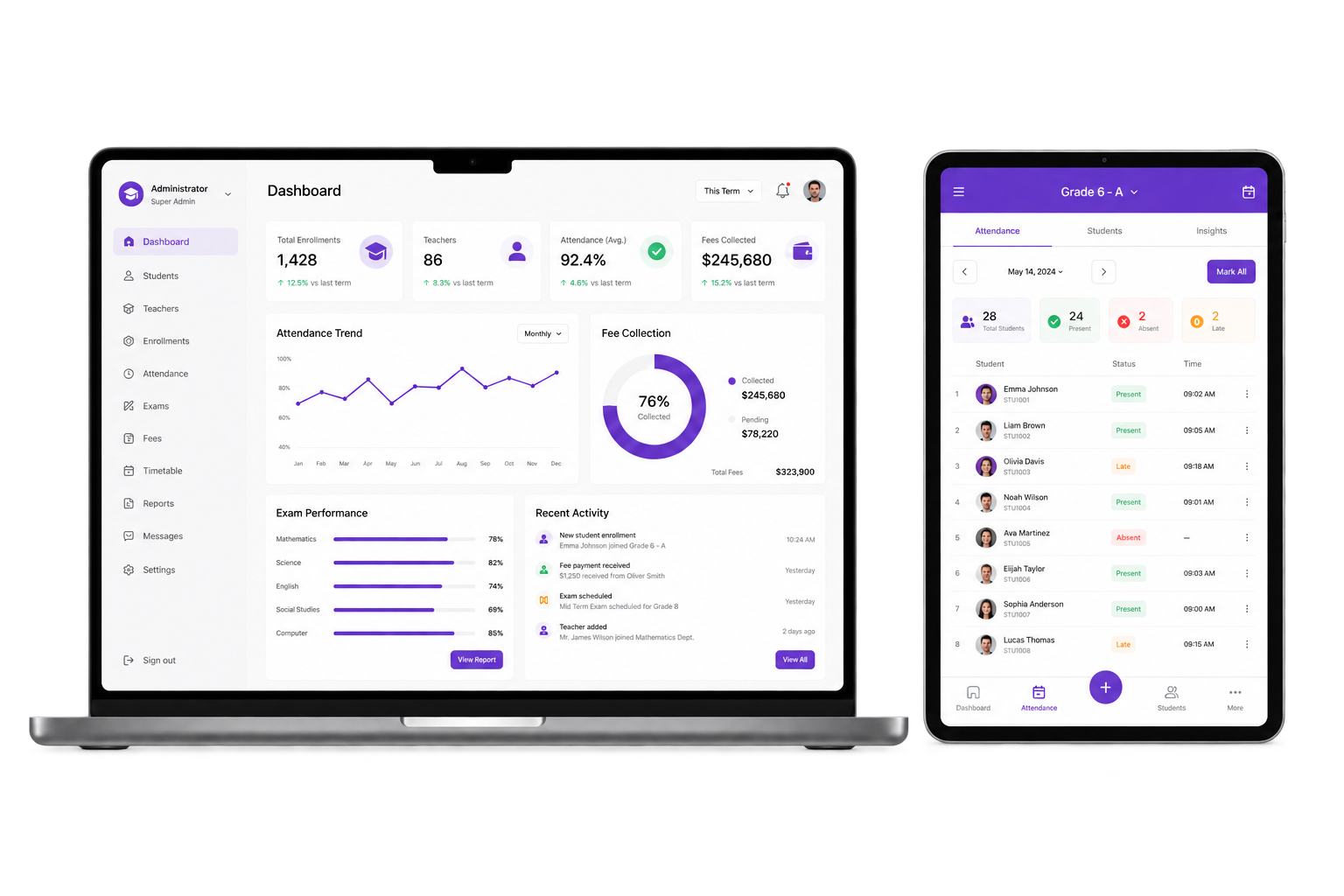
School management ERP covering the student lifecycle from enrollment to graduation, with academic, attendance, fee, and communication workflows.
School management ERP covering the student lifecycle from enrollment to graduation, with academic, attendance, fee, and communication workflows.
The Challenge
Paper-based enrollment, delayed grade reporting, and disconnected attendance and fee records make school administration difficult to coordinate.
Solution Scope
Configurable School ERP scope that can include centralized student records, grade-calculation rules, attendance workflows, and approved local payment integrations where provider access is available.
eSchool
School community app


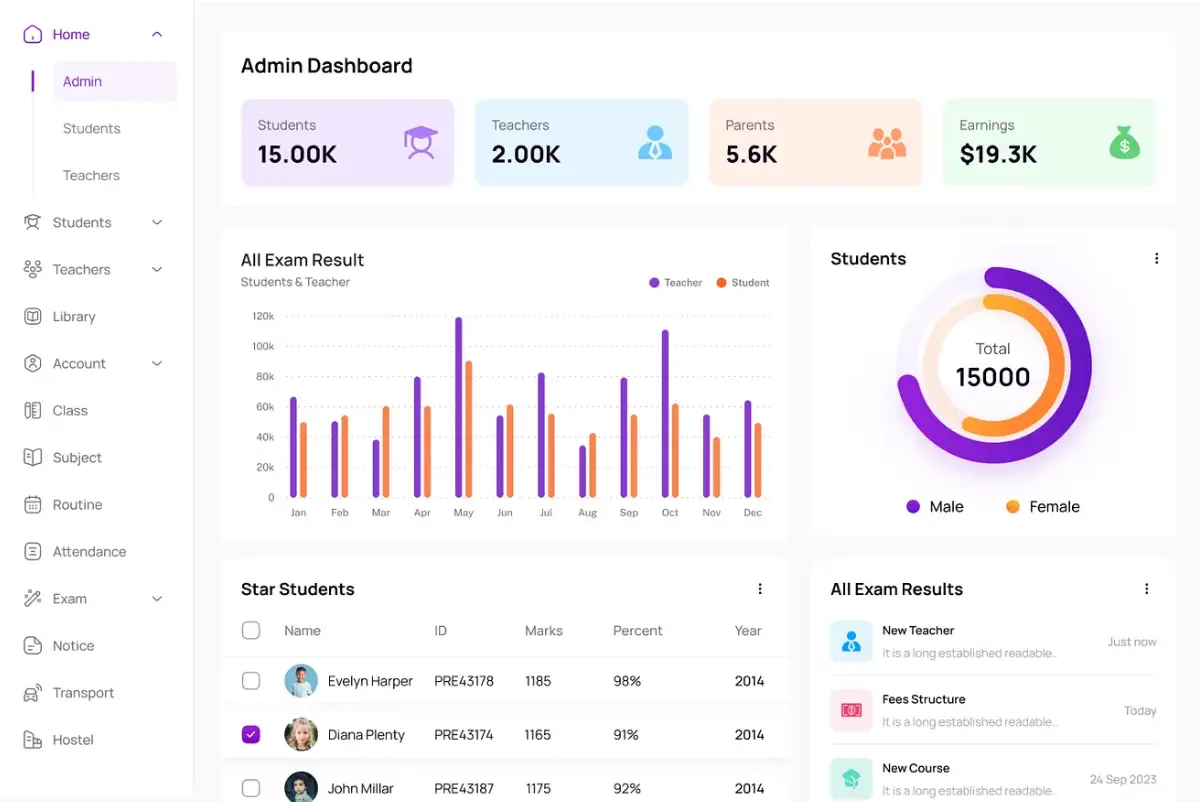
School management ERP covering the student lifecycle from enrollment to graduation, with academic, attendance, fee, and communication workflows.
The Challenge
Paper-based enrollment, delayed grade reporting, and disconnected attendance and fee records make school administration difficult to coordinate.
Solution Scope
Configurable School ERP scope that can include centralized student records, grade-calculation rules, attendance workflows, and approved local payment integrations where provider access is available.
eSchool
School community app
A learning platform designed to help Ethiopian students prepare effectively for exit exams.
A learning platform designed to help Ethiopian students prepare effectively for exit exams.
The Challenge
Students lack structured preparation tools, practice exams, and performance tracking systems.
Solution Scope
The app provides practice tests, study materials, and progress tracking to improve performance and exam readiness.
Exit Exam
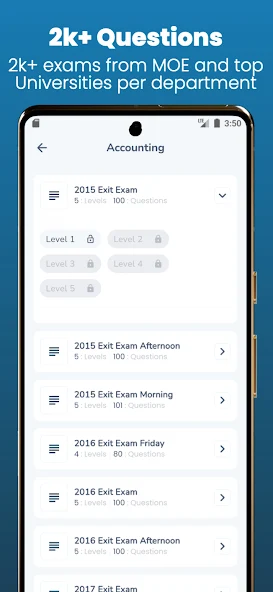
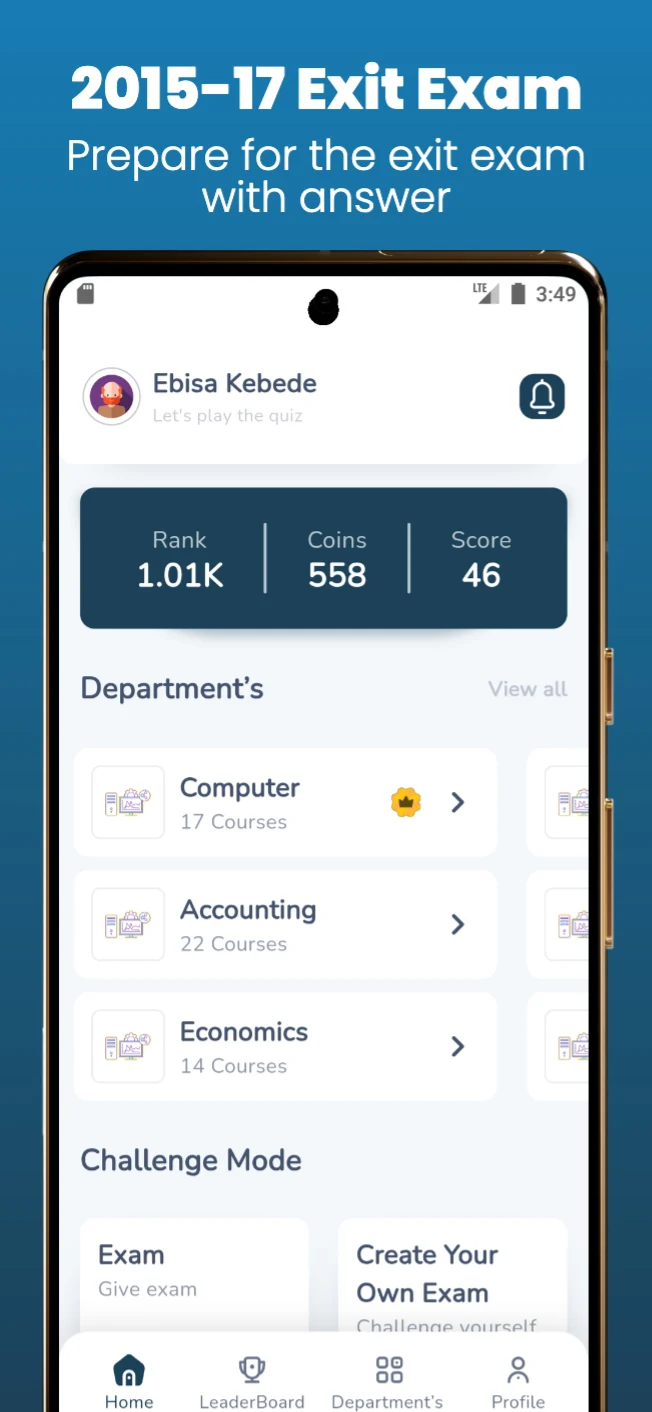
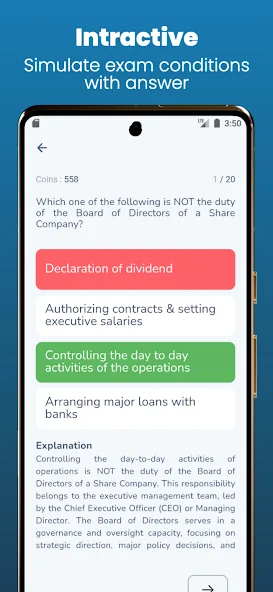
A learning platform designed to help Ethiopian students prepare effectively for exit exams.
The Challenge
Students lack structured preparation tools, practice exams, and performance tracking systems.
Solution Scope
The app provides practice tests, study materials, and progress tracking to improve performance and exam readiness.
Exit Exam
Unique features
These options can be selected and adapted during scoping. They are not treated as committed deliverables until they enter the signed proposal.
Model grades, sections, terms, subjects, promotion and report-card rules.
Assess Telebirr, bank, SMS and notification providers against the approved scope.
Separate or consolidate campus records, permissions and reports as required.
Share attendance, results, announcements, balances and approved school updates.
Track daily attendance and route configured absence or lateness alerts to the right school roles.
Identify room, teacher and class conflicts before a timetable is approved and published.
Apply approved fee structures, discounts, balances, receipts and adjustments to each student record.
Preserve approved grades, promotions, corrections and report outputs with a traceable history.
Who it serves
School ERP can be configured around academic structure, finance rules, campuses and the exact responsibilities of each user group.
Connect enrollment, academics, fees, attendance, staff and parent communication.
Manage programs, terms, assessments, learners, instructors and operational reporting.
Separate campus operations while consolidating approved management records and reports.
Give each role controlled access to the records and actions needed for daily work.
Share the users, service area and first-release goal. DreamTech will help structure a practical scope.
Technology foundation
The final architecture follows the approved workflow, scale, integration, hosting and ownership requirements rather than a one-size-fits-all tool list.
Next.js, React and TypeScript for administration, staff and parent access
Flutter for Android and iOS when parent, teacher or student apps are included
Django or Node.js services with documented REST APIs and role-based permissions
PostgreSQL or MySQL for academic, finance and operational records
AWS cloud or an agreed on-premise environment with backup planning
Payment, SMS, notification and approved school-provider APIs as scoped
Development process
The process stays visible from discovery through acceptance so product decisions and implementation evidence do not disappear between handoffs.
Map the users, workflows, data, integrations, risks and first-release outcomes.
Design the priority journeys and confirm the technical foundation behind them.
Build approved modules in visible increments with regular working reviews.
Test representative workflows, permissions, responsive behavior and operational exceptions.
Prepare production, train users and complete the agreed ownership and support transition.
Why partner with DreamTech
DreamTech combines product discovery, interface design, engineering, integration planning, quality assurance and handover from Addis Ababa.
Engagement models
Choose the commercial structure that fits the clarity of the scope, the size of the roadmap and the operating support your team already has.
Best when the first release, responsibilities and acceptance scenarios can be agreed before kickoff.
A focused cross-functional team for a larger roadmap, phased platform or long-running transformation.
Targeted engineering for an existing product, including improvements, integrations and stabilization work.
eSchool uses a one-time setup fee based on school size, plus monthly pricing for each active student and staff member. The live eSchool pricing page remains the source of truth.
What shapes cost and timing
School size, active student and staff count, onboarding timing, included hosting and support, and any work outside the published eSchool plan.
Delivery planning
Delivery timing, acceptance responsibilities and any continuing support are separated clearly so the build does not create an unexpected monthly commitment.
Development and customization
Work begins after requirements, scope approval, agreement, required client inputs and kickoff. The signed proposal records the exact start, acceptance and handover dates.
Ongoing product support
Published eSchool plans include onboarding, managed hosting, ongoing support and continuous improvements according to the selected plan.
Launch readiness included
The build includes practical setup guidance for the client-owned services needed to release and operate the product.
DreamTech handles the technical setup and guides the client-owned account process.
Google Play, Apple and D-U-N-S setup
For mobile releases, we guide client-owned developer-account setup, help check or request D-U-N-S, align the legal details and prepare the app for submission.
Domain purchase and connection
We help select and purchase an available domain in the client’s name, then connect DNS, the website and organization email where required.
Hosting choice and deployment
We compare suitable cloud, VPS, managed or local options and configure the client-approved environment for traffic, security, data and budget needs.
Applicable compliance preparation
Where required, we prepare technical materials and guide INSA cyber-audit, ECA data-protection or sector-review steps. The responsible authority controls approval.
Ownership and cost boundary: accounts and domains remain in the client’s name. Setup guidance is included; platform memberships, registrar, hosting, government, provider and usage fees are separate unless the signed quotation includes them. D-U-N-S, store review and government approval follow external timelines and can extend public launch beyond the 40-day software period.
Frequently asked questions
These answers provide planning guidance. The approved proposal remains the source of truth for scope, price, dates and responsibilities.
Ready to plan the first release?
Share the target users, operating model and priority workflows. DreamTech will help structure the product, modules and delivery plan.