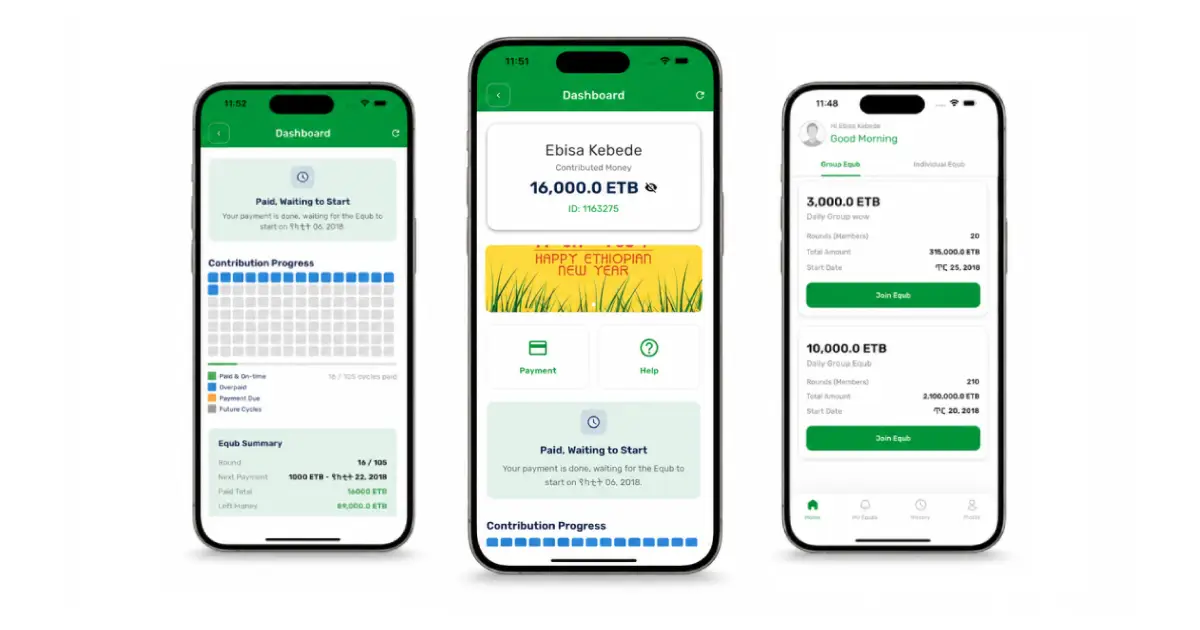
A simple process for licensing, building, securing and launching an Equb app in Ethiopia with INSA review, Telebirr preparation and cost planning.
Related guides in this journey
To start an Equb app in Ethiopia, use the same simple launch order as a digital business: get the business license first, build the app, protect the software, pass INSA security inspection, prepare payment integration, and only then go live.
Equb is built on trust. Members contribute on a schedule, and one member receives the pooled amount according to the group rules. Before building, decide whether your company only provides software or whether it collects, holds, controls, or disburses member money. That one choice affects the license, payment partner, security work, and cost.
Step 1: obtain the business license
Register the company, obtain the TIN and commercial registration, and get a trade or business license that fits the real service. Explain clearly whether the company is selling Equb-management software, working with a licensed payment partner, or asking to handle money.
Follow the company registration process in How to Start a Company in Ethiopia.
Step 2: build the mobile app or system
Build the Equb workflow before asking for payment integration. The system should include member registration, group creation, contribution schedule, payout order, reminders, receipts, dispute handling, admin dashboard, audit logs, reports, and customer support.
Keep the source code, domain, cloud account, app-store accounts, signing keys, database, and administrator credentials under the company’s control. Prepare test accounts and safe test data before requesting inspection.
Step 3: design the logo and protect the work
Create the company and product logo before the final app release. Keep the editable design files, brand colors, font and image licenses, source-code ownership agreement, and technical documentation.
Copyright can cover original source code, documentation, graphics, and other creative work. The Ethiopian Intellectual Property Authority accepts voluntary registration of computer programs and other eligible works. Trademark registration is a separate process for protecting the name and logo used in the market.
Step 4: submit the system for INSA security inspection
Prepare the software and documentation before submitting the audit request. Submit the required information and files through the INSA Cyber Audit portal. A mobile app, website, and API do not use one identical requirements document.
Documents required for INSA submission
- A copy of the valid business license.
- The copyright certificate for the mobile app or system.
- The Software Requirements Specification (SRS) file for the system being inspected.
Mobile-application documentation requested
- A mobile SRS describing features, roles, data, permissions, authentication, payments, and error handling.
- Architecture and data-flow diagrams, API details, third-party services, and security controls.
- An Android APK or the Android installation method accepted by the assessor.
- An iOS IPA, TestFlight link, or other installation method specifically accepted by INSA.
- Test accounts for member, organizer, support, finance, and administrator roles.
Web and API documentation requested
- A web-specific SRS, site map, roles, workflows, deployment architecture, and data-flow diagram.
- The test or production URL approved for assessment, together with safe test accounts.
- The full API endpoint list, request and response formats, authentication, rate limits, and webhook details.
- Hosting, domain, TLS, database, backup, logging, privacy, and access-control information.
Step 5: receive and check the INSA certificate
After the assessment, correct the reported security findings and provide the evidence requested for closure. If the system is approved, keep the certificate and final report with the company records.
Field information describes a six-month certificate for some app assessments, but the public INSA requirements reviewed for this guide do not state one universal validity period. Use the start date, expiry date, covered application versions, and conditions printed on the certificate you actually receive.
Step 6: request Telebirr and call-center services
Once the business and technical documents are ready, request the Telebirr product that matches the approved Equb money flow. If the service also needs call-center, SMS, or OTP API support, prepare those requests at the same stage.
See How to process Telebirr integration for your app or system for the application and integration process.
Required documents for Telebirr, SMS, and call center
- Renewed business license.
- Registration certificate.
- Tax Identification Number (TIN).
- VAT certificate, if registered.
- Memorandum and articles of association, where applicable.
- Request letter and website or app security inspection approval from INSA.
Proposal for Telebirr, SMS, and call center
- Company profile that clearly states the main service you need to integrate and how the current business or platform works.
- Business readiness, including time to market and whether the service is already live.
- Technical readiness of the app, website, or both.
- Specific integration channel: app, web, or both.
- How you work with members and how the payment strategy works.
- User manual or flow chart.
Take the company stamp when you go to sign documents. Also prepare the company bank account that will receive transferred money.
Step 7: go live legally
Launch only after the company has the approvals that apply to its model and every system has passed production testing. Keep the Equb agreement, member consent, privacy notice, payment evidence, dispute process, support channel, and daily reconciliation ready.
- Business and trade licenses complete
- Equb rules and money flow documented
- App, website, admin, and API tested
- Logo, source code, and company ownership documented
- INSA findings closed and certificate conditions checked
- Telebirr payment and callback reconciliation tested
- Support, disputes, refunds, privacy, and member notices ready
How much does an Equb app cost in Ethiopia?
A practical Equb app usually costs about 150K–450K ETB, depending on the features. This can include member registration, group creation, contribution schedule, payout order, reminders, receipts, admin dashboard, reports, and basic support tools.
If you do not need payment methods like Telebirr, SMS, or OTP API, and the app is only an internal/simple organizer, you may not need the extra payment-integration work or INSA inspection step. If the app will connect to payments, collect sensitive user data, or be submitted to partners, prepare the INSA and integration documents.
- Lower cost: simple Equb organizer with members, groups, schedules, reminders, and admin records.
- Higher cost: advanced app with payment flow, SMS or OTP, reports, stronger security, and partner-ready documents.
Frequently asked questions
Should I build before getting the business license?
Plan the product early, but confirm the company and licensed activity before major development. This prevents building a money flow that the license or payment partner will not support.
Is an Equb app automatically a financial institution?
No. A software-only organizer that never holds or controls money is different from a platform that collects, pools, stores, disburses, guarantees, or invests funds.
Does INSA use one SRS for every system?
No. Keep the overall architecture consistent, but document mobile, web, and API scopes separately because their builds, interfaces, risks, and testing methods differ.
Can Telebirr Subscription Payment automate Equb contributions?
The product supports recurring mandate-based payments in approved use cases, but Telebirr’s technical capability does not itself authorize an Equb money model. Confirm the payment flow with Telebirr, the licensed partner, and legal counsel before launch.
Why does an Equb app cost more than a normal membership app?
Because correctness matters. The platform needs reliable identity, contracts, payment confirmation, an auditable ledger, dispute handling, privacy, security, reconciliation, support, and partner documentation.
Continue the series
- How to Start a Company in Ethiopia
- How to Start an E-Commerce Company in Ethiopia
- How to process Telebirr integration for your app or system